

|
||
|
|
||
|
||
|
Using the new system to manage your schemes |
||
|
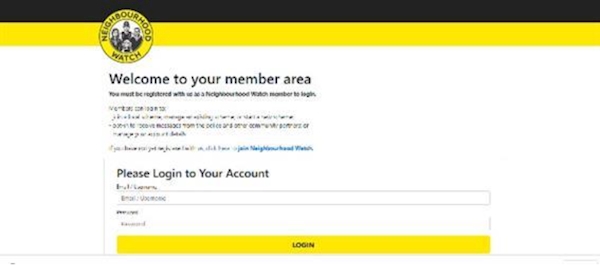
Dear Resident I am writing to you, as you are a Coordinator, to explain how you can use the new system to engage with potential members, the changes that you may have seen using the system and other changes which may affect you and your scheme. The main change which affects you is the screen you go to to login to your members area. You can go to https://members.ourwatchmember.org.uk to sign in.
Enter your login details or if you have forgotten your password or sign in details, we have added them below for you. your login
You will then come to your membership screen. On this screen you will be able to have access to change your details, change your message preferences and who you receive information from. Don't forget that as a Coordinator we would recommend that you click on Neighbourhood Watch, Police, Action Fraud, Get Safe Online and any other options that appear for you, as these are area specific. The reason we say this, is because receiving as much information as you can from the partners, will enable you to encourage more action from your members to reducing risks. SCHEMES When you go down the page you will be able to see your scheme, you will be able to see your current members that have signed up to your scheme and you will be able to edit your scheme.
If your scheme has not been approved yet by one of the many volunteers that help with administering the system, your scheme may appear like this and you won't be able to manage your scheme.
If this has happened to you, please contact your Force Association to help you get back on track and able to welcome new members. This is done by Multi-Scheme Administrators (MSAs). To find your Associations details, please click HERE. The reason for this change, is to enable schemes and Coordinators to be approved before they can be seen by new members. As every Coordinator should agree to the Code of Ethics and Standards and agree to our Data Protection policies as well as specific regional processes, as you will be representing Neighbourhood Watch and handling personal data of others. Potential new members
When your scheme is approved, you will be able to welcome new members, find suggestions of members that live in the same area of your mapped scheme and indeed message them in a much easier way than before. If you click on the people icon you will possibly see a list of potential members, which you can invite into your scheme. If you would like to invite them to join, you can click on the green plus icon next to them and they will be put into your scheme, with them receiving a email to say that they have been placed in your scheme. Approval of members There is no longer a need to approve someone to join your scheme, however there is the option to remove them from your scheme, if necessary. Mapping At this time you are unable to amend the mapping of your scheme unless through your local MSA or if you do not have an Association at Force level, this is done through the Central Support Team. New Coordinator Guide to using new system
We understand this might be overwhelming, as is the case when any new system has been introduced and so therefore we have developed a guide for you to download, please do not print it as it is very heavy on ink and although very informative, it is very long. The guide can be found HERE.
I hope that you are happy with the developments of Neighbourhood Watch and don't forget to sign up to the Knowledge Hub when your area is live - to find out more, please see www.ourwatch.org.uk/knowledge-hub which is a bespoke area where you can learn more about how to do your role, talk with other volunteers from across the country and share experiences. Best wishes Cheryl Cheryl Spruce | Head of Membership and Community Engagement NEIGHBOURHOOD WATCH NETWORK, Central Support Team Follow us.. ourwatch.org.uk / Facebook / Twitter / Instagram / LinkedIn Neighbourhood Watch Network is a charity registered in England & Wales, CIO no: 1173349
| ||
Attachments | ||
Reply to this message | ||
|

|
