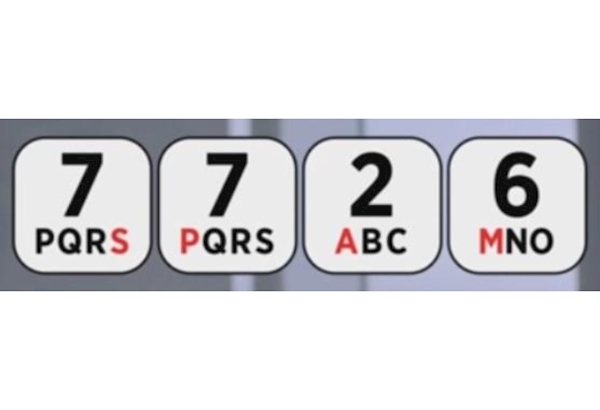
Most phone providers are part of a scheme that allows customers to report suspicious text messages for free by forwarding it to 7726 (this spells SPAM on your telephone keypad).
If you forward a text to 7726, your provider can investigate the origin of the text and arrange to block or ban the sender, if it’s found to be malicious.
Report a scam text using a screenshot or screen recording
You can also take a screenshot or screen recording of the text message and send it to us at report@phishing.gov.uk
If 7726 doesn’t work, you can find out how to report a text message by contacting your phone provider.
Why you should report suspicious text messages
The purpose of a scam text message is often to get you to click a link.
This will take you to a website which criminals use to download viruses to your computer, or steal passwords or other personal information.
This is sometimes known as 'phishing'.
Reporting a suspicious text is free and only takes a minute. By reporting, you can:
reduce the amount of scam texts you receive
make yourself a harder target for scammers
protect others from cyber crime online
34K scams removed across 84k URLs as of September 2025 as part of the 7726 service.